AI That Actually Sounds Like You: How Dr. Steve Day Built His Copywriting Engine.


One of the biggest frustrations for anyone using AI in their business is simple: it doesn’t sound like you.
In our recent “AI on Friday” session, Dr. Steve Day joined the group from Stockholm to show how he has solved that problem inside his own business – building a copywriting engine that produces on‑brand, human, undetectable AI copy that he is happy to send out without heavy editing.
Along the way, he also shared a wider philosophy on AI, team structure, and how to avoid the hidden pitfalls many power users are running into with long chats and messy prompts.
Below is a distilled summary of Steve’s approach and the key ideas that came out of the discussion.
CONTEXT: WHO IS DR. STEVE DAY AND WHY LISTEN TO HIM?
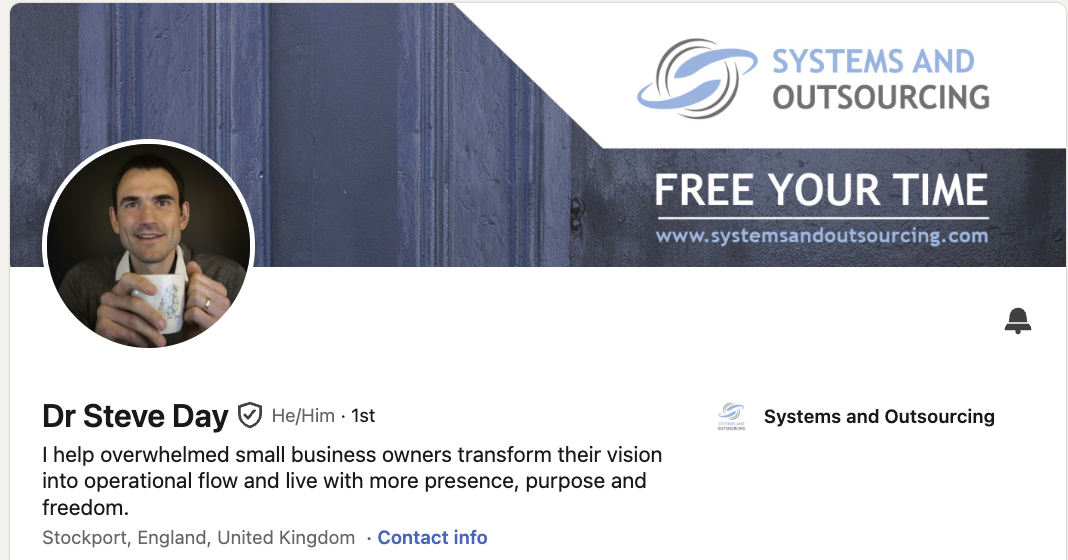
Steve has a background in computing (systems analysis and design) and spent eight years as a medical doctor in the NHS before emigrating to Sweden to design a business around freedom and family life.
He now works with business owners to build “intelligent systems” using AI, automation and outsourcing so they can focus on the work only they can do.
Two personal factors shape his thinking:
- Dyslexia and ADHD: Writing was slow and painful. He could “hear” what good copy sounded like but struggled to get it onto the page efficiently.
- A high publishing bar: He has a long‑running podcast with 270+ episodes, top 3% globally, with a promise to his audience of never missing an episode, email, or post.
That combination forced him to solve content at scale, without sacrificing quality or authenticity. AI was the lever – but only once he stopped using it the way most people do.
FROM “GENERIC AI VOICE” TO A TRUE COPYWRITING ENGINE
Steve walked through his journey with content tools:
- Early tools like Castmagic: Good for basic transcripts, show notes, and posts, but the outputs were generic – “like a first draft by an average copywriter” – and required heavy editing.
- Moving to ChatGPT and then Claude: Better models and better prompting improved quality, but still unstable. Threads would “break” for no clear reason, and the voice was never consistently his.
- The turning point: Seeing another team use projects and knowledge files. Their implementation wasn’t what he ultimately built, but it gave him the critical idea: separate the reusable intelligence (who you are, who you serve, how you write) from the one‑off prompt.
The result is what he calls his copywriting engine: a structured stack of documents plus a lean set of instructions inside Claude that together produce copy that:
- Sounds like him
- Is on brand and on message
- Scores as human in AI detectors
- Can be reused across email, social, podcast promotion, long‑form and more
He showed two contrasting outputs from the same prompt.
- A generic Claude email from a normal chat:
Obvious AI cadence, over‑dramatic hooks, M‑dashes, and a “content marketing 101” feel. Grammarly flagged it as 99% AI. - The same prompt sent through his copywriting engine project:
The output read as if he had written it himself: conversational, grounded in his real voice, and with zero AI detection. No fancy prompt – just “write an email about X” into a well‑designed engine.
THE FIVE FOUNDATION DOCUMENTS
At the heart of Steve’s system is a small set of tightly‑designed documents. These are not prompts. They are knowledge. The instructions simply tell the model when and how to use each one.
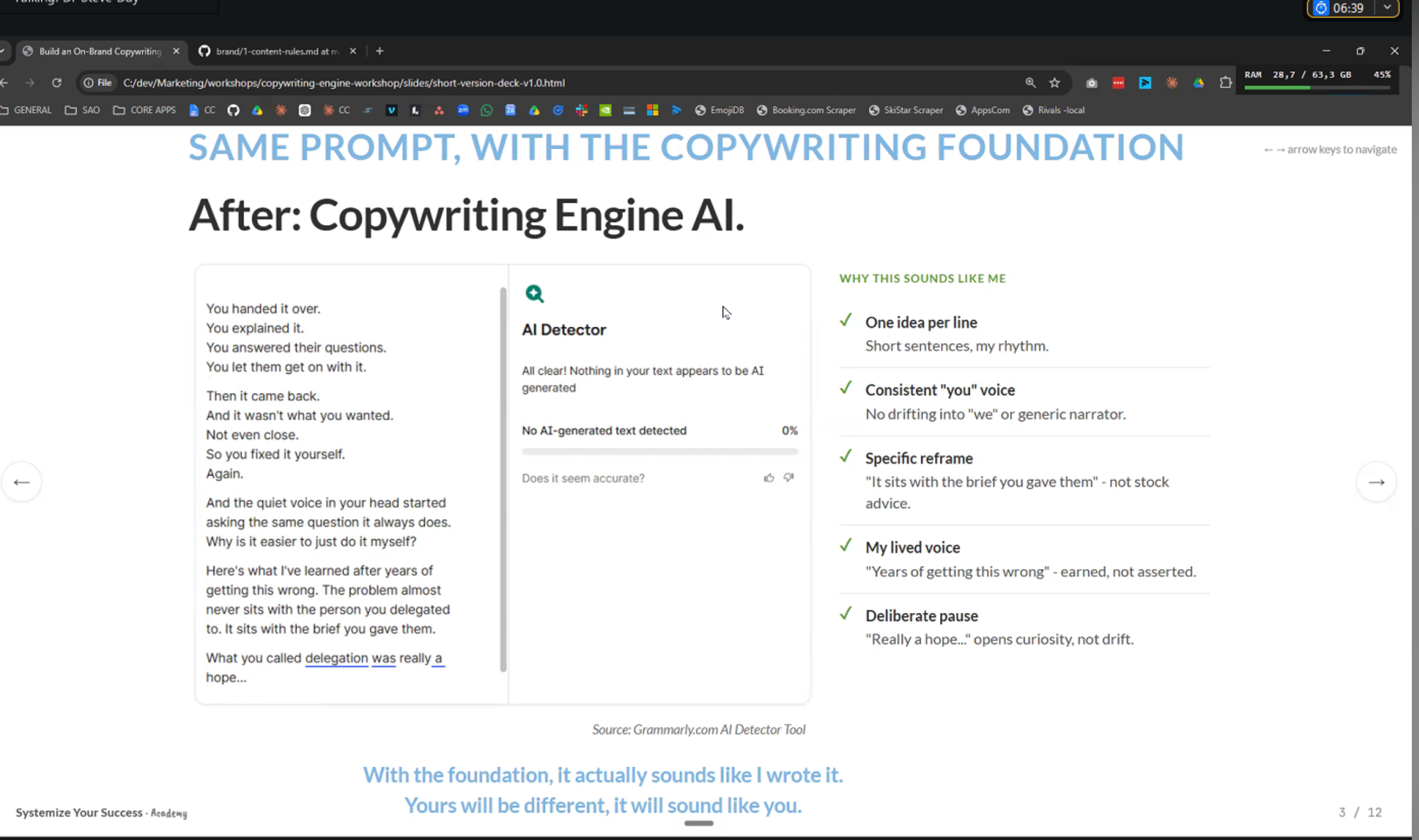
He uses five core documents as his “copywriting foundation”:
- Content Rules
- Global rules for how content should be structured and formatted across channels.
- Examples: sentence length preferences, use of white space, how to handle hooks and CTAs, what not to do (no click‑bait, no clichés, no overblown promises).
- This is where channel‑level style can live (e.g. “punchy, one idea per line” for certain promo posts) without contaminating everything else.
- Brand Voice
- How he actually sounds: tone, rhythm, preferred phrases, things he never says, and how he wants to come across (e.g. “in the pub”, “in the coffee shop”, “more inspirational”, etc.).
- This allows him to switch styles – same person, different mode – without rewriting everything.
- Founder Story
- The real human backstory: struggles, values, turning points, client stories, past failures and lessons learned.
- This is what lets AI produce copy that feels lived, not fabricated.
- Steve stressed this is the piece most people skip: “To create great copy you need experience and examples, and AI can’t do that unless you give it your life history, almost.”
- Vision, Mission, Values
- Why the business exists, what it is trying to change, and the principles that guide decisions.
- This prevents the AI from drifting into generic positioning and keeps messages aligned with the bigger narrative.
- Ideal Client
- Not demographics, but inner world:
- What they say to themselves
- The problems they think they have vs. the real problem
- What they’ve already tried that didn’t work
- Trigger moments that make them seek help
- The exact language they use on calls, in emails, and in surveys
- Steve is actively mining client transcripts and feeding key phrases back into this doc so copy mirrors the audience’s words, not marketing jargon.
- Not demographics, but inner world:
All five are designed to be:
- Non‑overlapping: no duplication, no contradictions
- Modular: loaded only when needed to reduce context usage
- Easy to update: change one file and everything that depends on it improves
PROJECTS, KNOWLEDGE FILES, AND WHY LONG CHATS BREAK
Steve uses Claude projects as the “container” for his copywriting engine and stores the documents in the cloud (in his case, GitHub).
Architecture in simple terms:
- A short instruction block in the project tells Claude:
- Which documents exist
- When to pull each one in
- How to prioritise and combine them for a given task (e.g. “for a promotional email, use Brand Voice + Content Rules + Email Style + Ideal Client…”).
- Knowledge files are linked, not uploaded as static blobs. When he updates a file in GitHub, it is instantly live in the project.
He contrasted this with the common pattern many of us started with: one long chat, gradually “trained” over months.
Two problems with that approach:
- Context window saturation
- Every new message sends the entire conversation history back to the model.
- Once you hit a certain length, the model starts compressing older content.
- That compression is lossy, and over time the model “forgets” or distorts what you taught it.
- Result: the chat that used to work “suddenly” goes off the rails.
- Conflicting information
- If you repeat or contradict yourself over time (“I like this style” vs. “don’t ever write like this again”), the model has to guess which instruction to follow.
- Accuracy drops sharply as soon as there are multiple plausible answers in the history.
Projects with clean, non‑duplicated knowledge files avoid both issues. Each request starts from a stable foundation, not a messy memory of everything you have ever said.
WHY HE STILL REVIEWS EVERYTHING
Despite how strong his engine is, Steve is clear on one thing: AI copy cannot be trusted 100% of the time to publish without human eyes.
He has seen models:
- Invent client stories that never happened
- Fabricate figures and results
- Skip over critical instructions for no obvious reason
His rule: treat AI like a very good but occasionally reckless junior writer. You still read what they produce before it goes out, even if you rarely need to change much.
For him, the payoff is that:
- What used to take hours per email now takes minutes (or just a quick read‑through).
- His last podcast promo email required zero edits beyond checking – it was “as good or better than I would write myself.”
TOOLS, STORAGE, AND TEAM WORKFLOWS
A few practical points that resonated with the group:
- GitHub as source of truth:
- He keeps his core documents in Git, even though it can be fiddly with commits, because it is fast for the model to read and easy to version.
- Alternatives like Google Drive work but introduce more latency and token usage when accessed via tools.
- Projects vs skills:
- For his VA, a Claude project is a simpler mental model than a skill library.
- Skills (in Claude or similar tools) are best used as “instruction sets” that call out to the same single source documents, rather than duplicating content inside the skill itself.
- Team access:
- At the moment, his VA logs into his account directly rather than via a formal team plan.
- He acknowledged Claude’s team‑sharing model is not yet ideal for very small businesses and has “figure out shared projects properly” on his immediate to‑do list.
A SHARED VIEW ON AI’S ROLE
Steve’s broader philosophy, which landed well with the group, is that AI is not here to remove humans from business, but to remove the drudgery that stops humans doing their best work.
In his words, AI should:
- Give you time, energy, and headspace back
- Let you improve your skills (e.g. becoming a better coach)
- Free you to be more human – listen better, think more deeply, build stronger relationships
Behind the scenes, AI may quietly replace large chunks of what virtual assistants used to do; what the client experiences is faster, higher‑quality delivery and a more present advisor.
KEY TAKEAWAYS FOR PRACTICAL IMPLEMENTATION
From the group discussion, several practical themes emerged that are directly useful if you are already using AI heavily:
- Stop “training” endless chats. Move to projects or GPTs with:
- Short, focused instructions
- Clean, modular knowledge files
- Build a single source of truth for:
- Brand voice
- Founder story
- Vision, mission, values
- Ideal client inner world and language
- Channel‑specific content rules
- Never duplicate core information across skills, prompts, or tools. Point everything at the same documents.
- Use AI to draft and structure, but keep a human review step. Trust – but verify.
- Think in systems, not one‑off prompts. The work is in designing the engine once, so every future prompt benefits.
CLOSING THOUGHT
This session showed what many in the group already suspected: the ceiling on AI‑generated content is far higher than most businesses are currently seeing – but only if you treat AI as part of a designed system, not as a magic text box.
Steve’s copywriting engine is essentially a well‑structured operating system for his voice and his business. Once built, it lets him move fast without sounding generic, and frees him to spend more time on what humans do best.
I run the TUNE AI On Friday Group. At all levels we talk about AI and how we are using it in our businesses.
There is a WhatsApp community which chats during the week, then a 1 hour session.
This is by invitation only. As a subscriber you are invited to apply to join.
Click this link.


Reach out Dr Steve Day ...and ask about his Systematise your Success Program.